Products
Products
Applications and developer tools built and maintained by Datafrog LLC.
Application Products
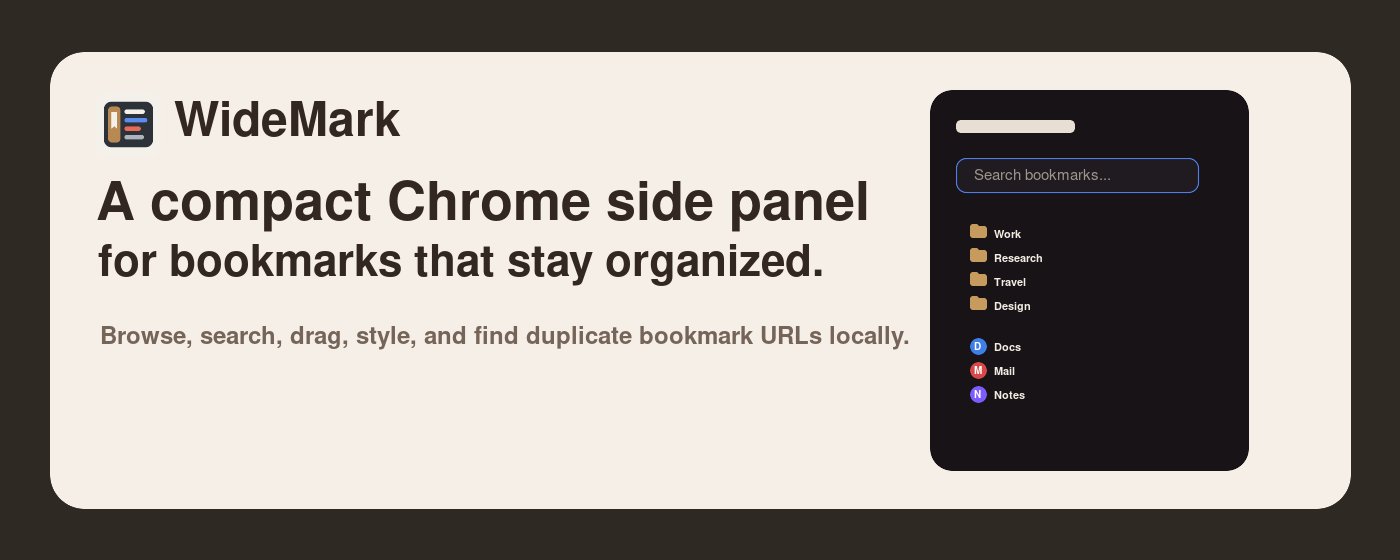
WideMark
WideMark is a Chrome extension for managing bookmarks in the side panel, so your bookmarks sit next to the page you are reading without opening a separate bookmark manager. You can browse the full bookmark tree, see recently added bookmarks, search by title or URL, organize by drag and drop (including dragging links straight from a web page), sort by name, and give folders colors and icons; when tidying up, it finds duplicate bookmarks, deletes empty folders and merges folders with the same name. Theme, font size and line spacing are adjustable, and everything can be done from the keyboard. Bookmark data is processed only on your computer, and the extension is open source.
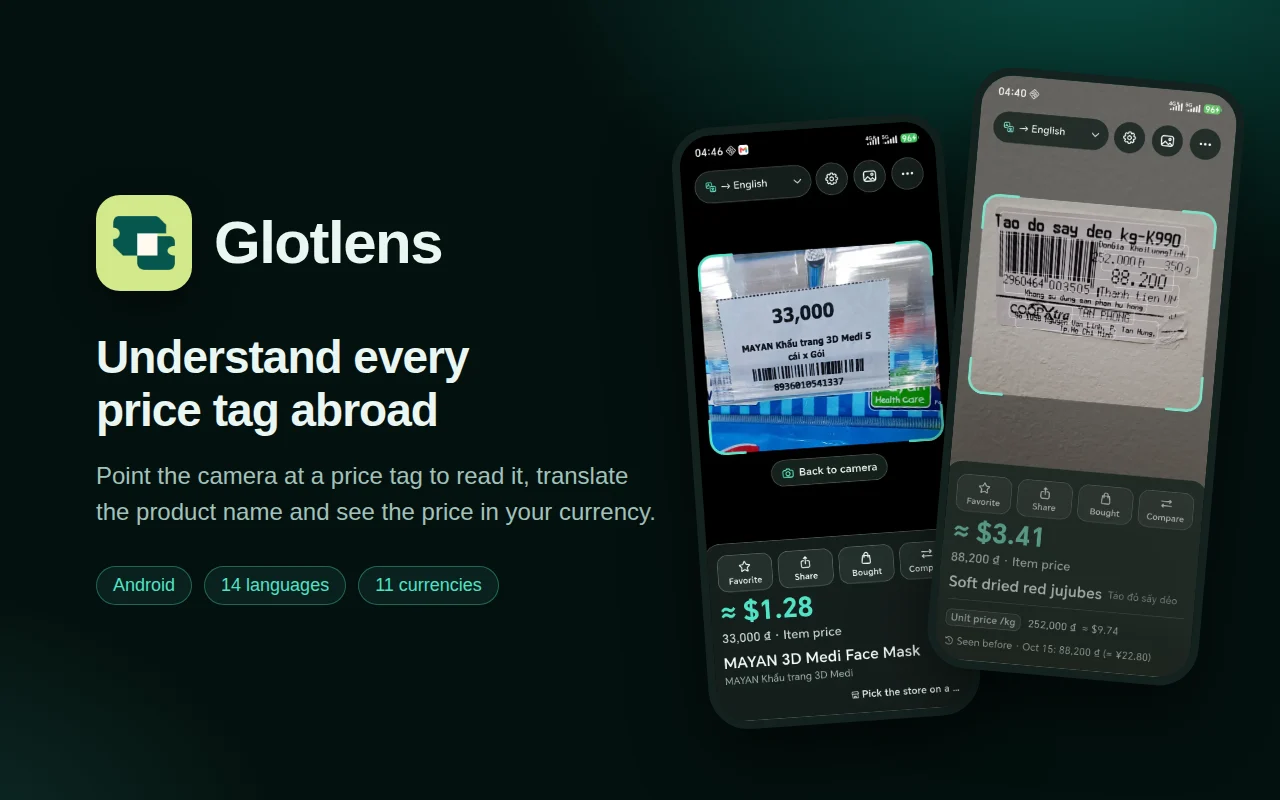
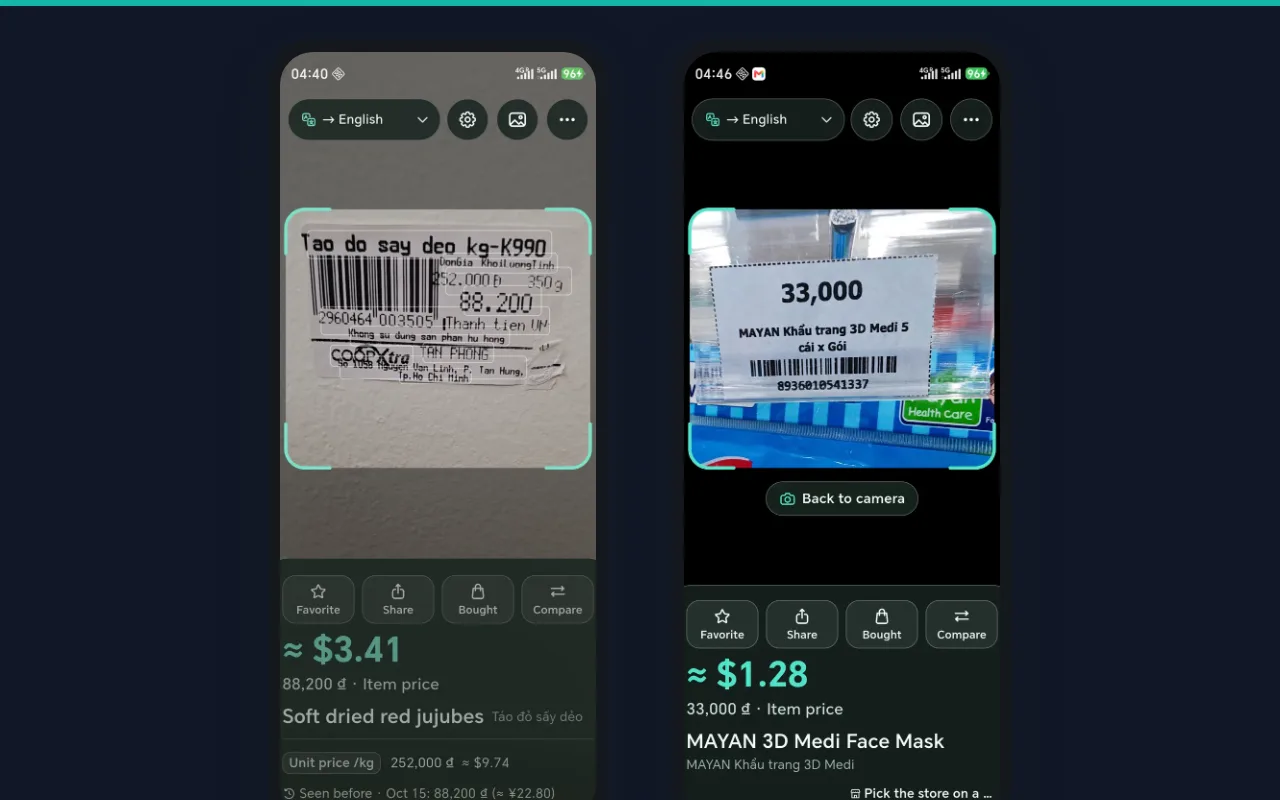
Glotlens
Glotlens is a mobile app for reading price tags and tracking spending, built for everyday shopping and travel abroad. It uses the phone camera to read the price on supermarket tags along with conditions such as member prices, multi-buy offers and per-weight pricing, compares similar products by unit price, and can translate foreign product names into the user's language and convert prices into the home currency at a daily reference rate, helping users compare prices and record and manage their spending at home and abroad.
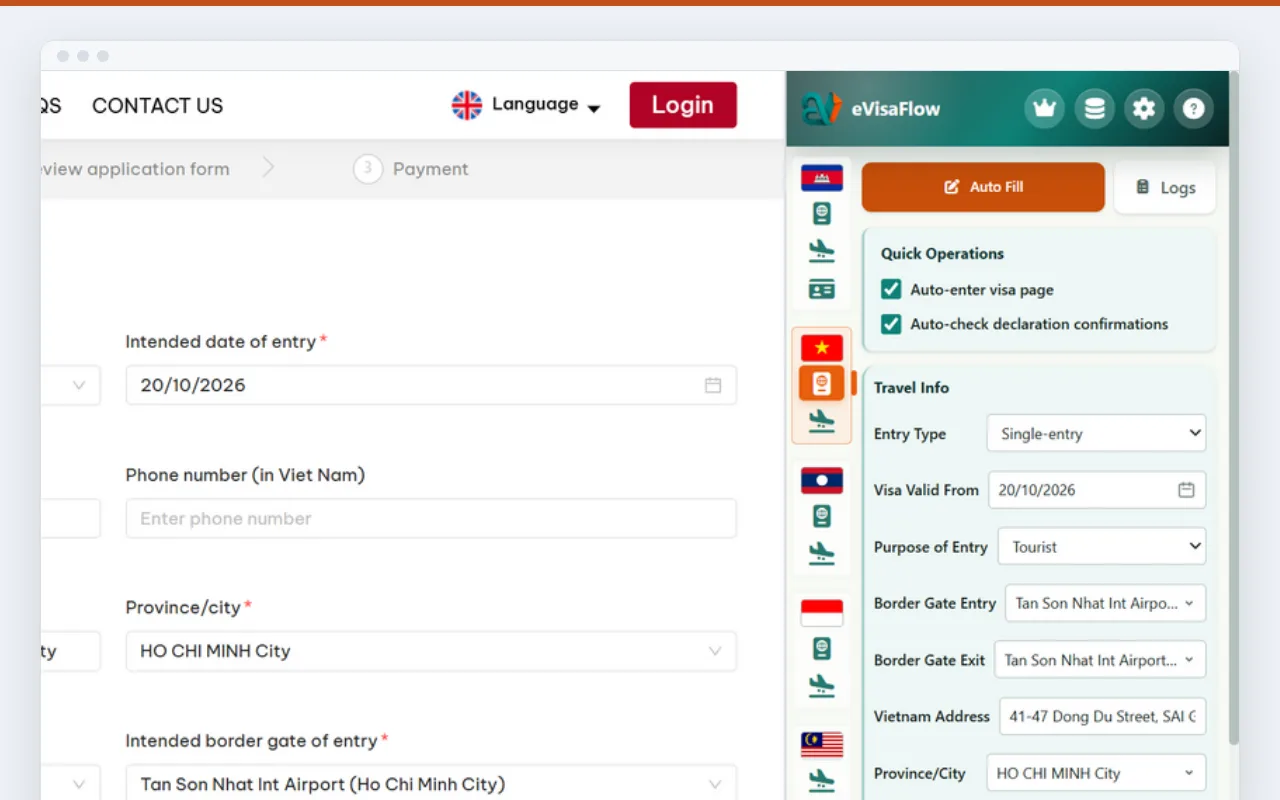
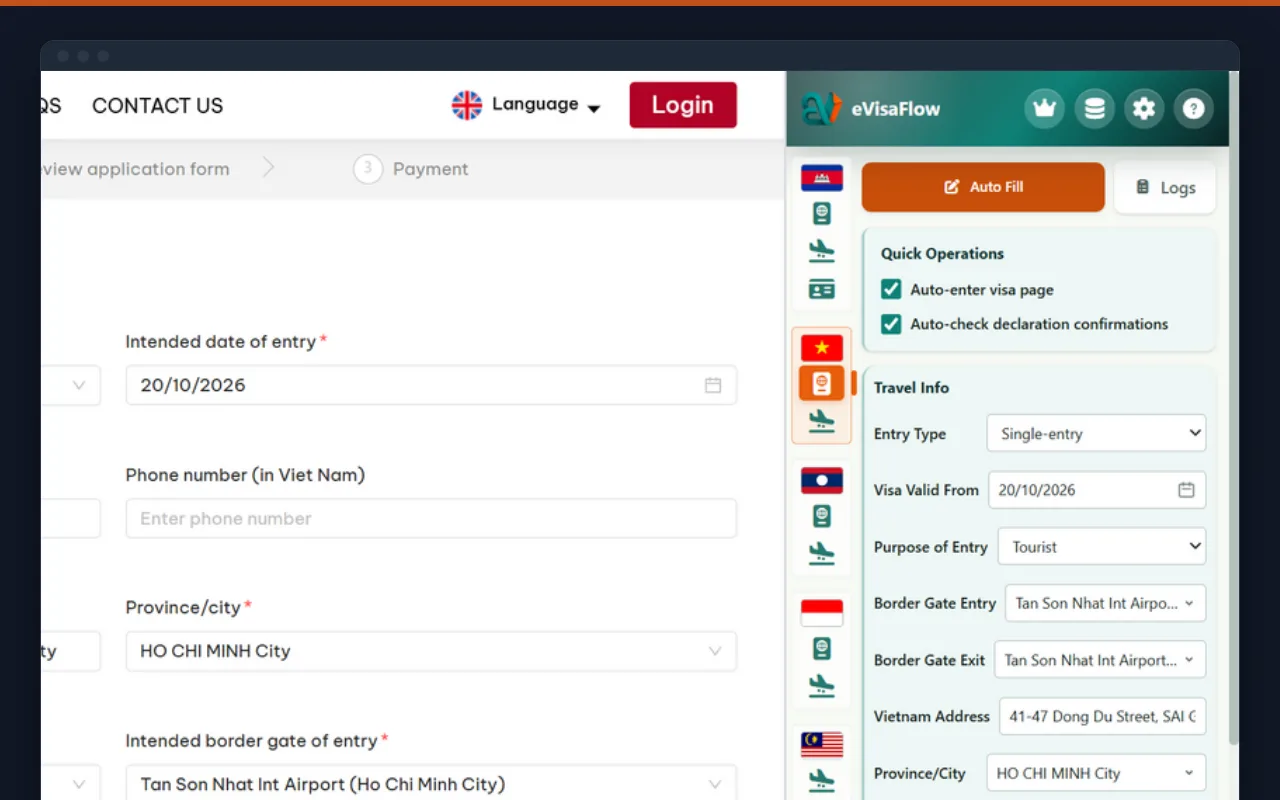
eVisaFlow Southeast Asia
eVisaFlow is a Chrome extension for filling in official eVisa and arrival-card forms for seven Southeast Asian countries, for individual travelers and visa agencies alike. Passport and trip details are kept in the browser side panel, and passport data can be entered by OCR from an image. On the official websites of Cambodia, Vietnam, Laos, Indonesia, Thailand, Malaysia and Singapore, the extension fills in the form page by page, and the user checks it and submits it themselves. Agencies that fill in the same forms for many travelers save a great deal of repetitive typing and make fewer mistakes.
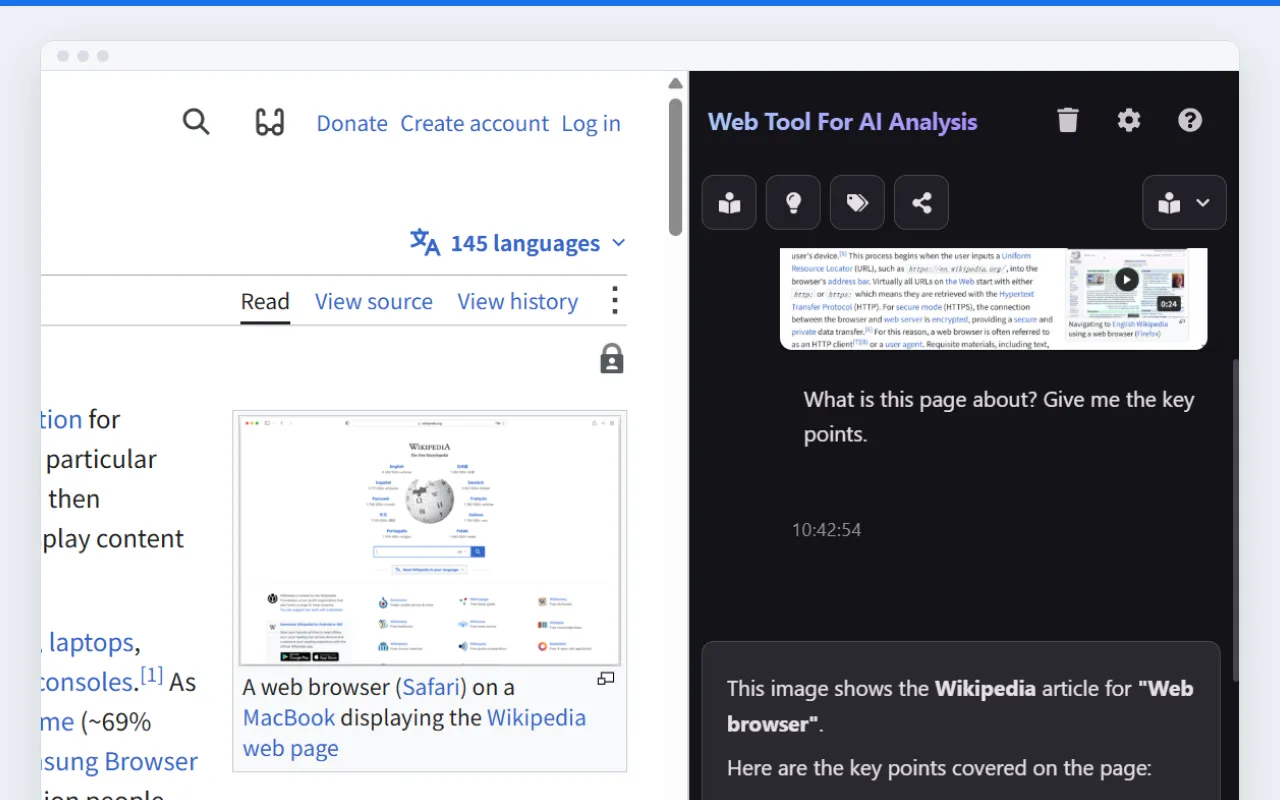
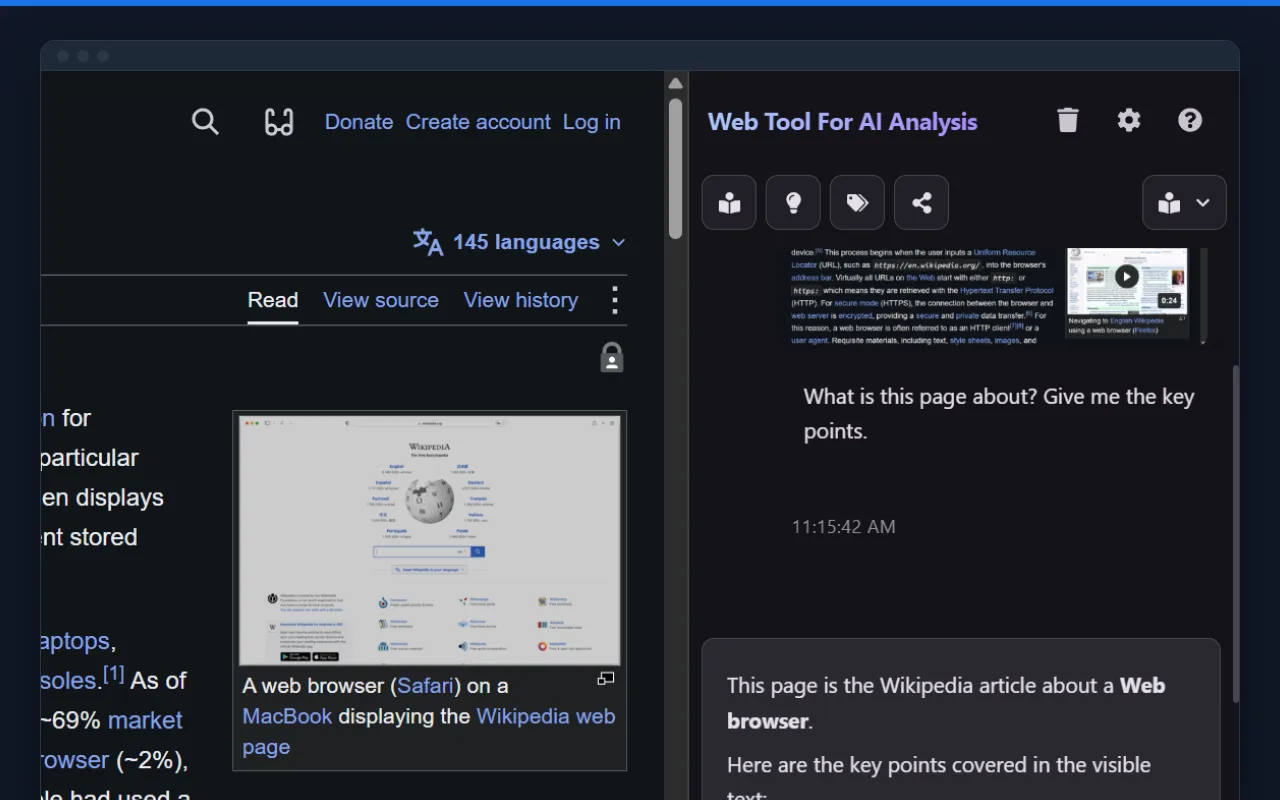
WTFAA
WTFAA is an AI web assistant that works in the Chrome side panel on the page currently open. It has three modes for different jobs: for reading, it summarizes and explains the page and extracts keywords; for design review, it checks the visual design, color contrast and accessibility; for development and testing, it identifies the front-end stack, drafts a QA checklist, audits forms and fills them with test data. It can also translate whole pages and analyze a screenshot of the current page, and before anything is sent to the AI it shows a preview with the option to mask sensitive information. Users can connect their own Gemini, OpenAI, Claude or other API keys, or subscribe to Pro and use it directly.
Developer Tools
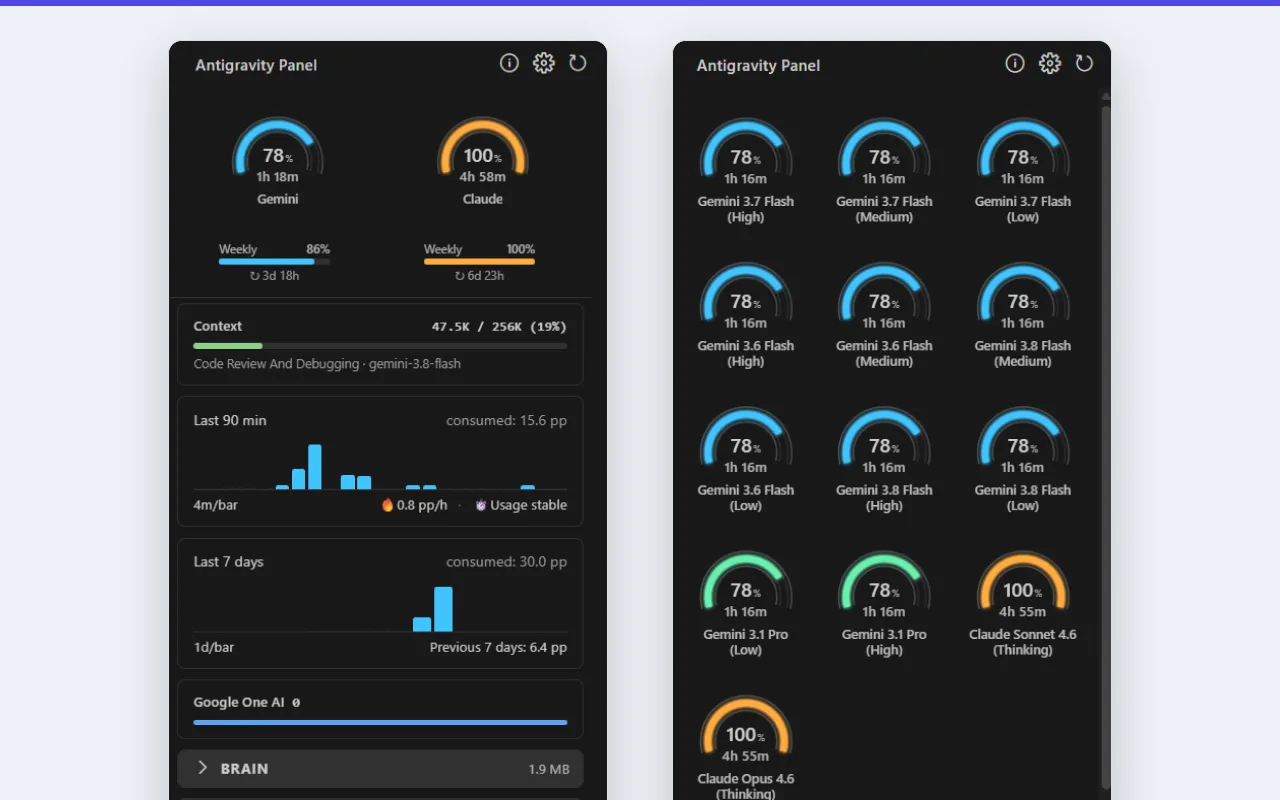
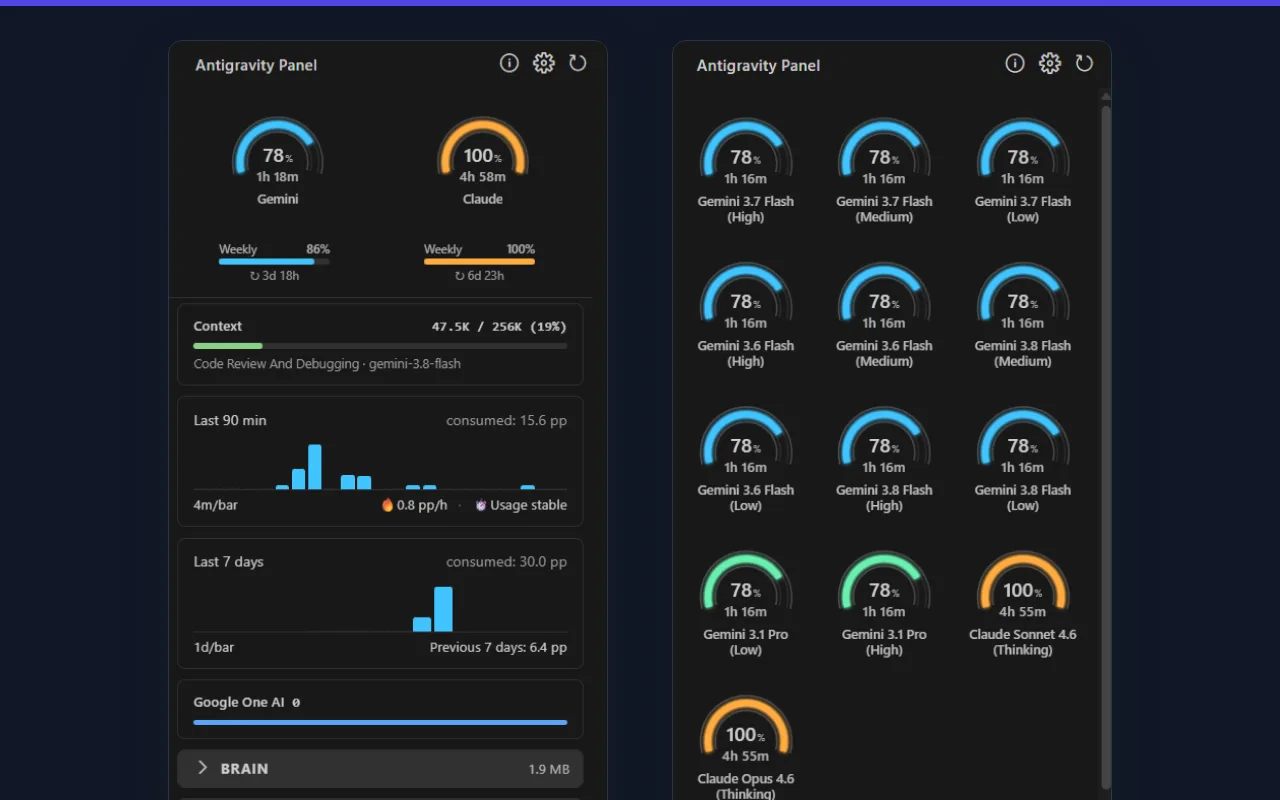
Antigravity Panel
Antigravity Panel is an extension for Google Antigravity IDE that keeps track of AI model usage and manages the IDE's caches. Its sidebar and status bar show the remaining quota, reset times and weekly limit for Gemini, Claude and other models, charts show recent usage and how fast quota is being used, and notifications warn when quota runs low, when it resets, or when it keeps dropping while the IDE is idle; it also warns when the current conversation's context is nearly full. For caches, you can browse and delete conversation and code tracker caches, or have them cleaned up automatically once they pass a set size. It also offers optional auto-accept for AI agent steps and generates commit messages through a local Ollama, Anthropic or an OpenAI-compatible API.

GG MCP for VSCode
GG MCP for VSCode is an editor extension that starts a local MCP server in VS Code and in VS Code-based editors such as Cursor and Windsurf, so that MCP-capable AI assistants can work directly on the project you have open. Assistants can read, search and edit files, run commands in the terminal or in the background, check Git status, changes and history, and commit, pull and switch branches; they can also set breakpoints, run debug configurations and find symbols and references. The server runs only on your machine, the status bar shows whether it is running, and files changed by the AI are refreshed in the editor automatically.

MCPxHub
MCPxHub is an MCP relay that runs on your machine and connects Claude Desktop to the development tools you are using. It automatically finds a running VS Code or VS Code-based editor such as Cursor or Windsurf, or a JetBrains IDE such as IntelliJ IDEA or PyCharm, and passes the tools offered by the editor's MCP plugin (for example GG MCP for VSCode) on to Claude Desktop, with no ports to configure by hand. It reconnects automatically after the editor restarts, and when the plugin's tools change, Claude Desktop is updated too.

N2N Nexus
N2N Nexus is an open-source MCP coordination service that lets several AI coding assistants work together. Once its background service is running on one computer, assistants in different editors, in WSL, in virtual machines or on other computers can all connect to it: they register projects and how the projects relate in one place, send each other messages through a global channel and in meetings, and leave a summary when a meeting ends. Longer operations run as tasks whose progress can be checked at any time, and assistants can also write shared documents and an overall strategy document. All data is kept on the computer that runs the background service.
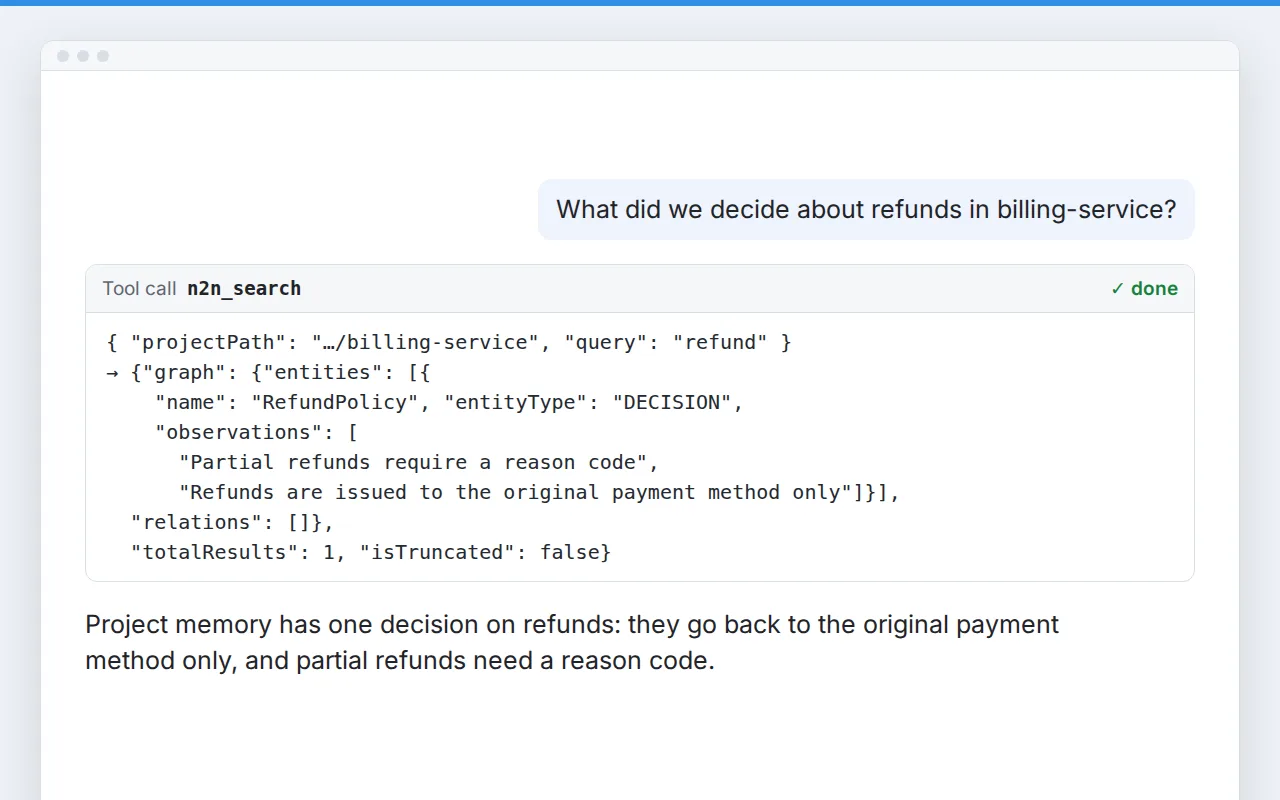
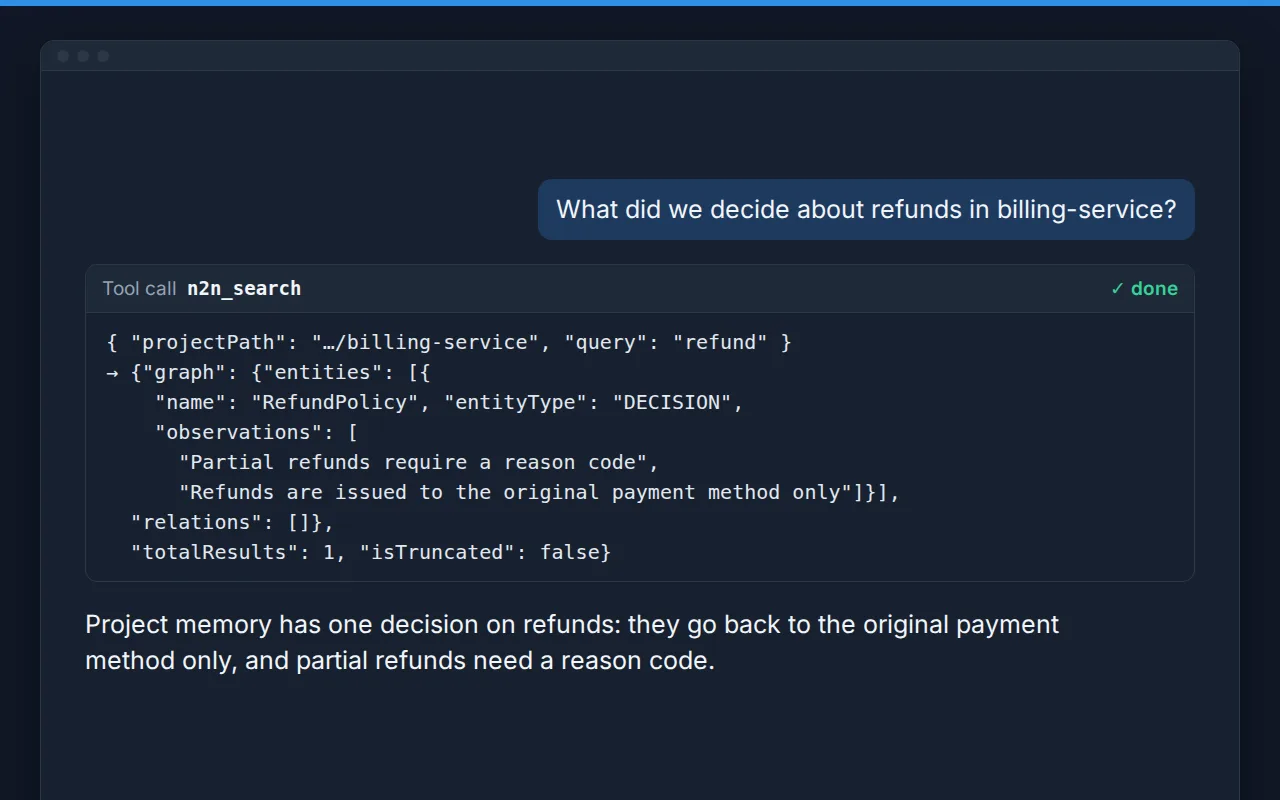
N2N Memory
N2N Memory is an open-source MCP server that gives AI coding assistants a memory of each project. It stores the key information in a code repository, such as modules, design decisions, interfaces and how they relate, as a knowledge graph inside the project folder, and keeps a separate record of the current task's progress, blockers and next steps. In a new session the assistant can search and read this memory and carry on where the previous work left off instead of learning the project again. The memory files live in the same repository as the code, can be shared with the team through Git, and never mix between projects.

N2N Post2Site
N2N Post2Site is an MCP server that lets an AI assistant write and publish content for a website. The assistant first reads the site's content rules and existing content to avoid repeating topics, then drafts the article, checks it against the site's rules, produces a preview and can upload a selected image; nothing is published until the user explicitly confirms. It works through the content API the website provides and does not delete content or touch the database or server. You can try it first with the included mock backend and then connect a real website, for example a Laravel site with Laravel Post2Site installed.
Laravel Post2Site
Laravel Post2Site is a Laravel package that gives a website the content-publishing API N2N Post2Site needs, so an AI assistant can write articles into the site's own content system. The package handles API keys, saved drafts, content validation, image uploads, preview links and publishing after confirmation; it can create new content and, where the adapter supports it, update existing content, and it provides IndexNow notifications to tell search engines after publishing. Developers connect the site's own content structure and pages through a single adapter, and the repository includes a runnable blog example. It supports Laravel 12 and Laravel 13.
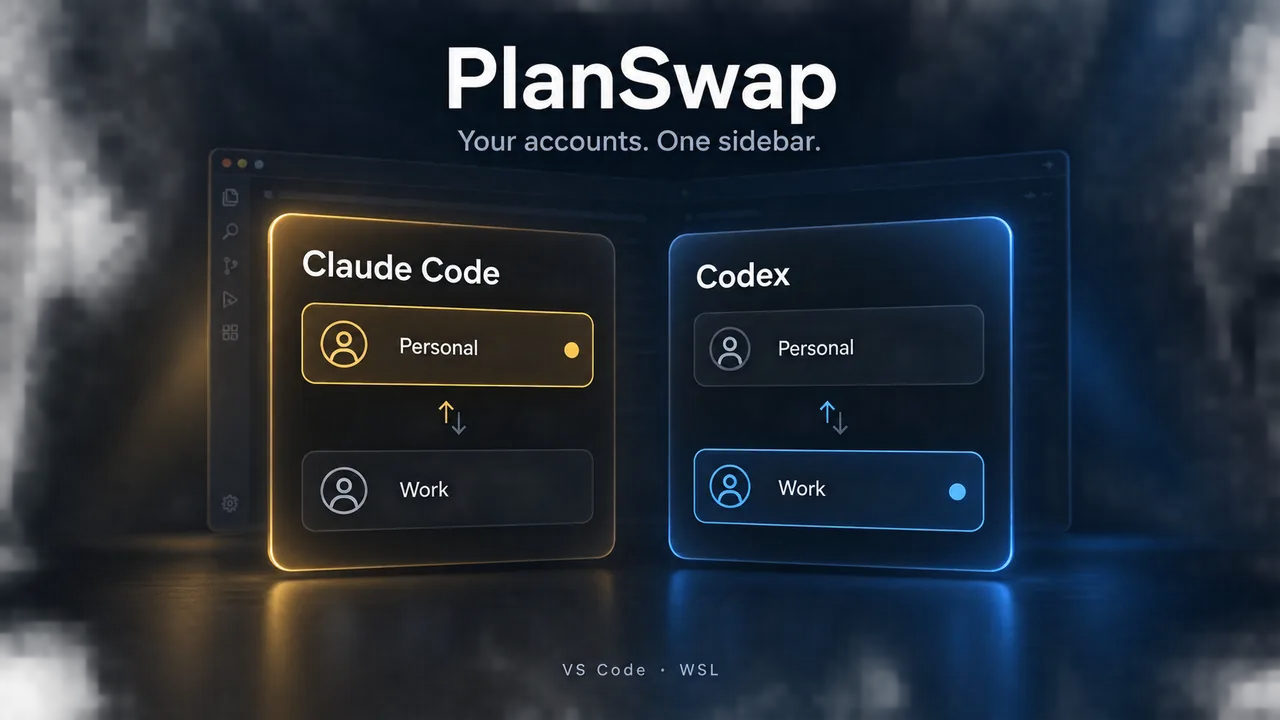
PlanSwap
PlanSwap is a VS Code extension for developers who use several Claude Code and Codex subscription accounts and need to manage and switch between them. The sidebar lists each account's 5-hour and 7-day usage limits and reset times, and the status bar shows how much the current account has left; when it runs low, PlanSwap sends a reminder and recommends the account with the most remaining. Switching takes one click and needs no sign-out, and you can also open a terminal with a chosen account to run the command-line tools. Usage is read through the official command-line tools, and the extension itself makes no network requests. It works on Windows, WSL and Linux.
HyperHand
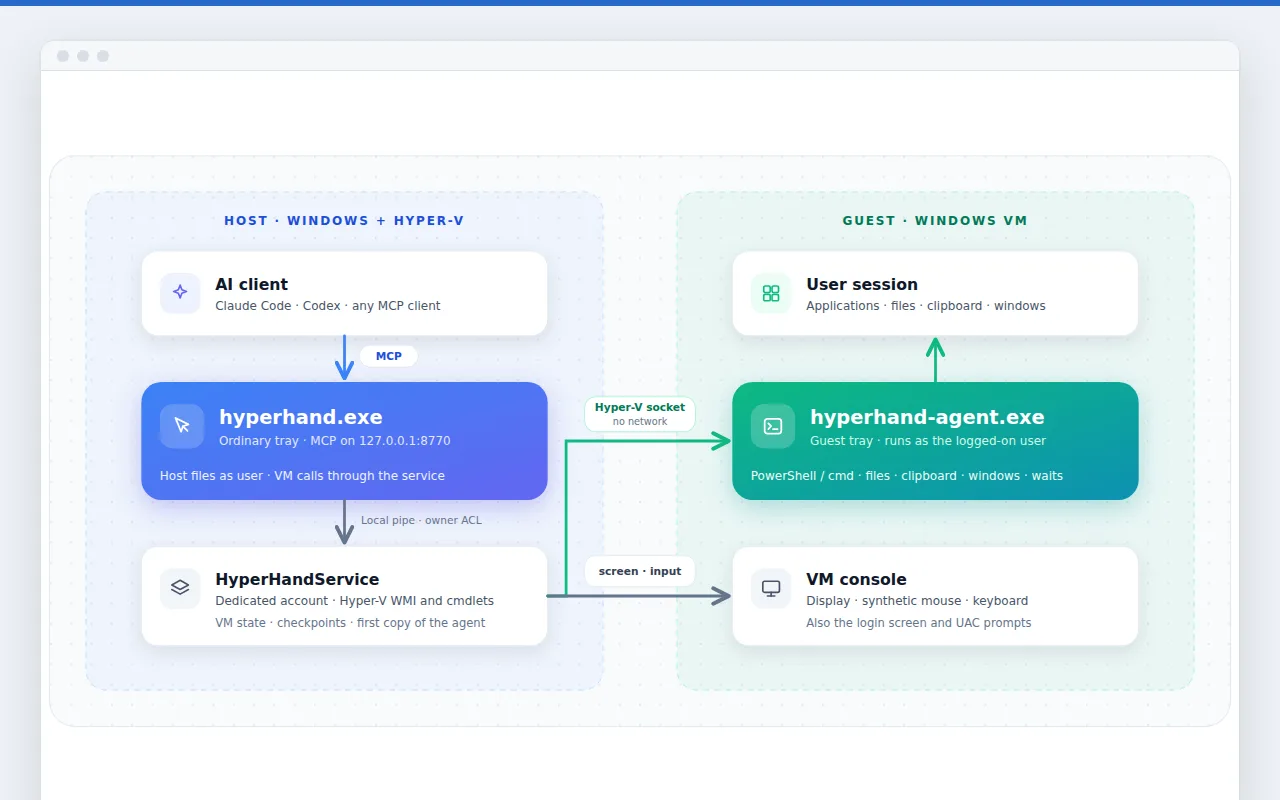
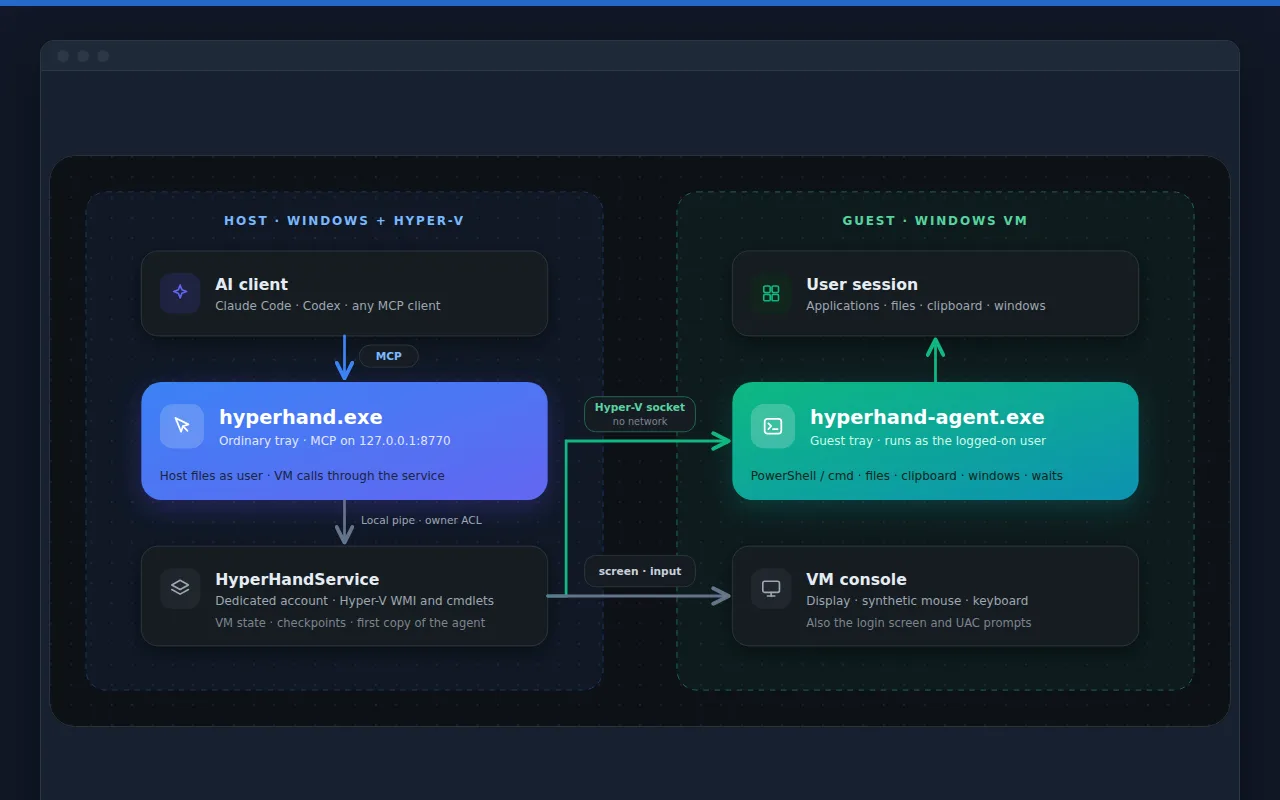
HyperHand is an AI-driven test automation tool for Windows desktop software. An AI agent installs the software, operates its interface and verifies the results inside an isolated Hyper-V virtual machine. Every test run starts from a clean system snapshot and produces a complete test record, so development and QA teams can hand repetitive installation and regression testing to AI.
Laravel SaaS Kit
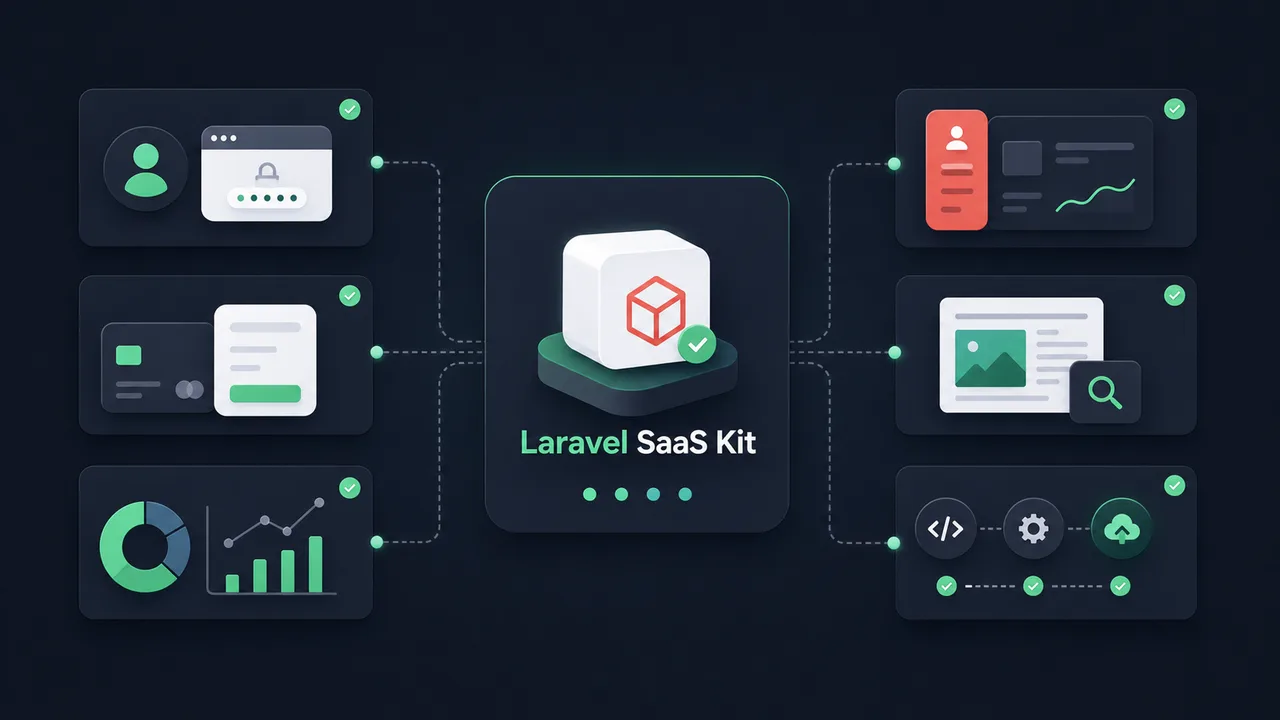
Laravel SaaS Kit is a Laravel starter kit for getting a product website up quickly. It installs a complete website codebase into a new Laravel 12 project, which developers are then free to change. The site includes product and pricing pages in English, Spanish, German and Chinese, a blog, Google sign-in, Stripe subscriptions and one-time payments, a customer account area and a Filament admin panel, along with licensing, subscription and usage APIs for your own apps, a sitemap and visit analytics. It suits solo developers and small teams who want a product website that can take payments online as soon as possible.
Concepts
AI Receipt Sorter
Forward receipts by email or photo, AI auto-categorizes and exports clean expense reports for your accountant.
Meeting Notes Autopilot
Drop in a call recording, get a clean summary, action items, and a draft follow-up email - no bot needs to join your call.
Support Inbox Triage
AI reads incoming support emails, tags priority and topic, and drafts a first-pass reply for your team to approve.

Image Refinery
Image Refinery is an MCP server written in Rust that lets an AI assistant work directly on image files on your computer. It can resize, crop (smart crop keeps the most detailed area), rotate and flip images, adjust blur, sharpening, grayscale, brightness, contrast and rounded corners, convert between PNG, JPG, WebP and AVIF, and reduce file size by adjusting JPEG quality; it can also add text or image watermarks, remove solid-color backgrounds, generate PNG and ICO icon sets, and read and write EXIF data. Most operations can process a batch of files at once, and an API key is required.

My Key Store (MKS)
My Key Store (MKS) is a planned VS Code extension for keeping API keys, access tokens, certificates and configuration files together in the editor sidebar, instead of in plain-text files scattered around a project. Planned features include grouping, one-click copy, inserting a secret at the cursor, generating TOTP codes and encrypted sync through the user's own Google Drive.